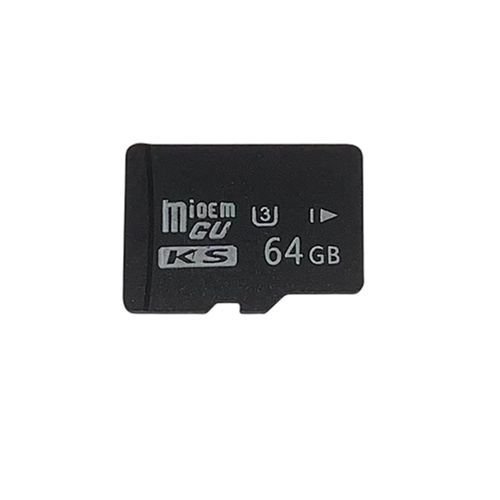
1. Applicable equipment, MP4, MP3, card speakers, SLR, mobile phone, amplifier, PSP game console, camera.2. Multiple uses, can be inserted into mobile phones or other devices, strong compatibility.3. 1080P Full HD Video Recording. Adopt SDXC Ultra High Speed grade specification, support driving recorder long-time 1080P full HD video.4. Compatible with all types of devices equipped with Micro SD card slot, support for SDXC devices.5. High-quality, fast Read and Write Speed.6. Transfer photos and videos quickly to your computer, saving you valuable time.7. CLASS10 standard, high-speed transmission, bring you a smooth experience.Buy this from Allneeds at the best price and have it delivered right at your doorstep.Brand: IOOIOOModel:?32GB Memory CardColour: BlackType:?TF (micro-SD) cardPlace of Origin: ChinaAbout capacity:?approximately 28GB-31GBGrade:?U3Read Speed up to: 80MB/sWrite Speed up to: 16MB/sWrite protection switch: supportSize: 15mm x 11mm x 1mmWeight: 0.01 kg
NOTE:Due to the difference between different monitors,the picture may not reflect the actual color of the item. We guarantee the style is the same as shown in the pictures.Due to the manual measurement and different measurement methods, please allow 1-3cm deviation. Thanks.
FAQ:Q: What should I do if the memory card needs to be formatted after being inserted into the device?A: You can try to insert the memory card into the computer and format it to repair the memory card.?Q: What should I do if the memory card cannot be read after being loaded into the device?A: Please try to install a memory card in different devices to check whether it can work normally (such as computers, mobile phones, MP3, etc.). If it can work normally on other devices, there may be a problem with the TF card interface of the original device.?Q: What should I do if the files in the memory card are damaged?A: If you pull out the memory card while the memory card is running, it may damage the memory card or damage the files in the memory card. Please make sure to select “Eject” on the device every time you pull out the memory card.?Tips:The memory card system uses the FAT32 disk system by default, and the maximum single write at a time is 4GB. If you need to store a single file exceeding 4GB, it is recommended to reformat the memory card and set it to NTFS or exFAT file system.?Proceed as follows:1. Connect the memory card to the computer2. Right-click the list and select “Format”3. Choose NTFS or exFAT format in the file system4. Click “Start”, and it will be?done






 No products in the cart.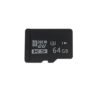
Reviews
There are no reviews yet.